Search for AI governance tools and you get a wall of enterprise platforms: model registries, risk scoring engines, policy packs mapped to 200 regulations. They’re real products, built for real problems. For most mid-size businesses, they’re built for someone else’s problem.
A 150-person company in Texas running Microsoft 365 and Copilot doesn’t build AI models. It uses AI, mostly tools its employees picked themselves. The governance question for that company isn’t “how do we document our model lifecycle?” It’s “what is everyone using, what data is going into it, and can we stop the bad version of that?”
Those are different jobs, and they need different tools. Picking the wrong category is the most expensive mistake we see in this space.
The short answer
If your business uses AI rather than builds it, you need usage governance. On Microsoft 365, you may already own much of it.
Two kinds of AI governance tools
Model governance platforms are for organizations that build, train or deploy their own AI systems. They track every model, who owns it, what data trained it, how it’s performing, and how it maps to regulations like the EU AI Act. The buyer is usually a governance committee, a model risk team or a chief data officer.
Usage governance tools are for organizations that consume AI: Copilot, ChatGPT, Gemini, the AI features now built into every SaaS product. They find which AI apps are in use, control what data can go into them, decide who gets access, and keep a record of what happened. The buyer is usually IT or security.
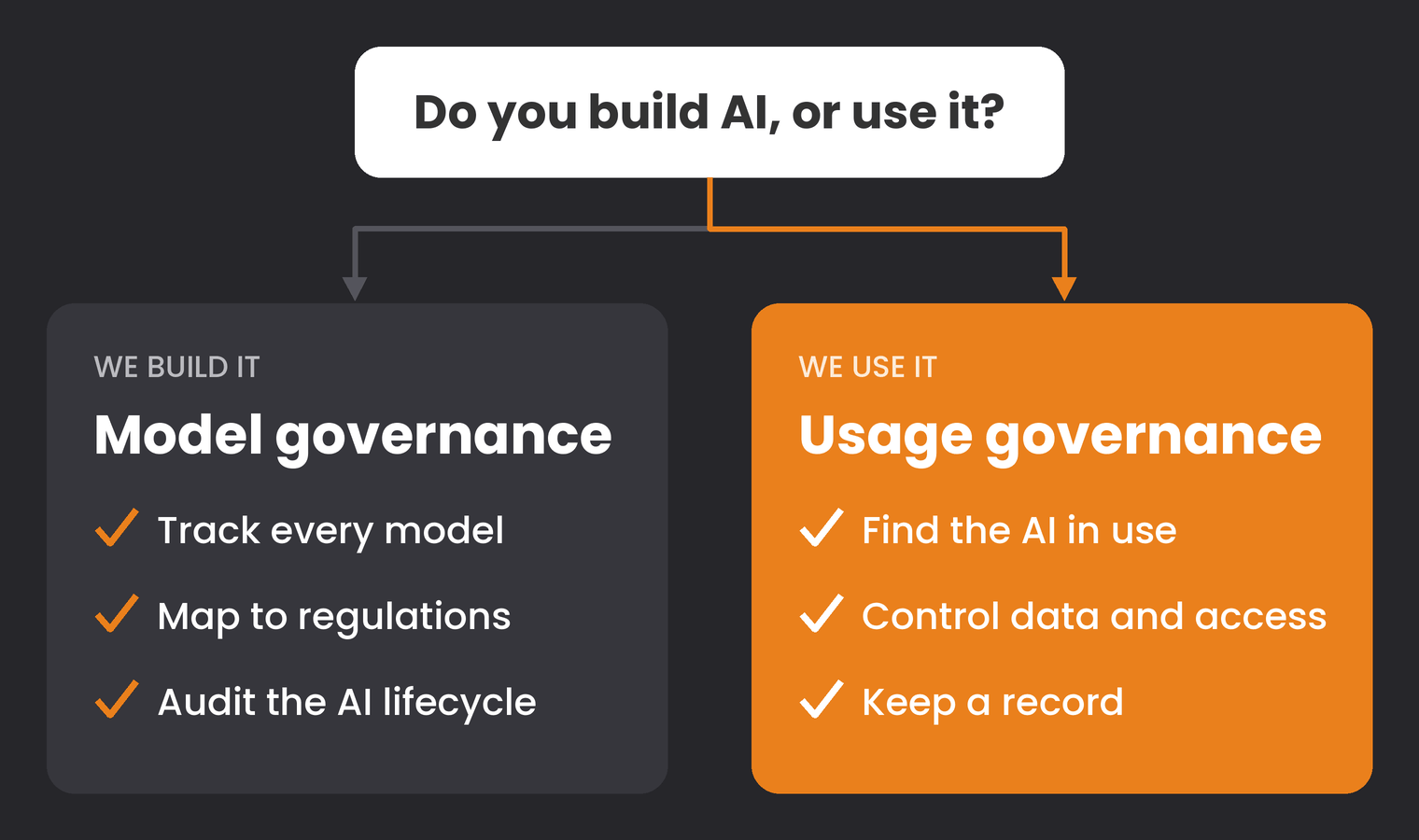
Most vendor comparison lists blend the two. If you only use AI, read every “best AI governance tools” list with that filter on, and most of the names drop off.
When a model governance platform makes sense
The leading platforms in this category do serious work. Credo AI keeps a registry of AI systems, models and vendors and runs risk assessments against policy packs for the EU AI Act, the NIST AI Risk Management Framework and ISO 42001. OneTrust AI Governance builds a central inventory of AI systems, models, datasets and vendors, assigns ownership and assesses risk with similar templates. IBM’s watsonx.governance covers the AI lifecycle with risk scoring, policy enforcement and audit-ready reporting across a long list of regulatory frameworks.
One of these is worth evaluating if most of the following is true:
If none of that describes you, a model governance platform will mostly document an inventory you could keep in a spreadsheet, at enterprise software prices.
What usage governance actually needs to do
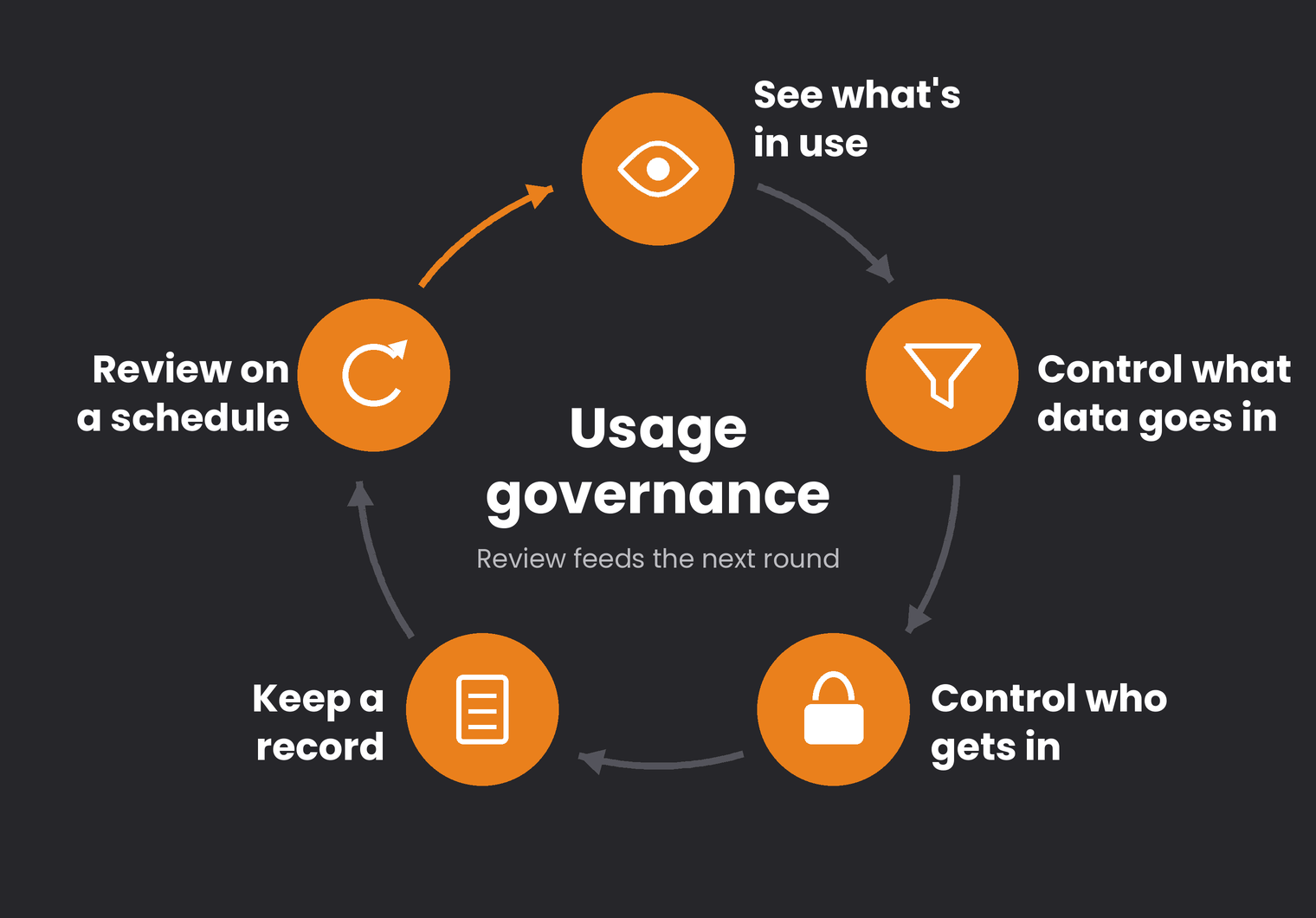
Strip it down and a business that uses AI needs tools for five jobs:
Which AI apps are employees reaching, from which devices, and how often. Shadow AI is the default state of most companies, and you can’t govern a list you don’t have.
Keep client data, financials, credentials and regulated information out of AI tools that weren’t approved for it.
Approved AI tools should sign in through your identity provider, so access can be granted, restricted and revoked in one place.
Know what was asked, by whom, and what data was touched, so an incident or an audit has something to work from.
Look at what the controls caught and adjust them. Without this step, governance quietly decays back to a policy document.
What Microsoft 365 already covers
If your business runs on Microsoft 365, a large share of those five jobs is handled by tools you may already pay for. The catch is that they’re spread across products and licensing tiers, and many tenants never turn them on.
| Job | Microsoft tool | Where it’s licensed |
|---|---|---|
| See what’s in use | Defender for Cloud Apps: generative AI category in the cloud app catalog, risk ratings, sanction or unsanction apps | Microsoft 365 E5, or the Defender Suite add-on for Business Premium |
| See what’s in use | Microsoft Purview Data Security Posture Management (DSPM): dashboards of AI apps and agents, sensitive data in prompts, oversharing assessments before Copilot | Microsoft 365 E5, or the Purview Suite add-on for Business Premium. Third-party AI sites also need the Purview browser extension and onboarded devices |
| Control what data goes in | Purview sensitivity labels and DLP for Exchange, SharePoint and OneDrive. Copilot respects encryption applied by labels | Business Premium (manual labeling) |
| Control what data goes in | Endpoint DLP: warn or block when users paste sensitive data into third-party AI sites like ChatGPT | Microsoft 365 E5, or the Purview Suite add-on for Business Premium |
| Control who gets in | Microsoft Entra ID Conditional Access for approved AI apps | Business Premium (Entra ID P1) |
| Keep a record | Unified audit log captures Copilot prompts and responses; Purview retention policies govern how long they’re kept | Microsoft 365 business and enterprise plans |
| Review on a schedule | Purview Insider Risk Management’s risky AI usage policy template | Microsoft 365 E5, or the Purview Suite add-on for Business Premium |
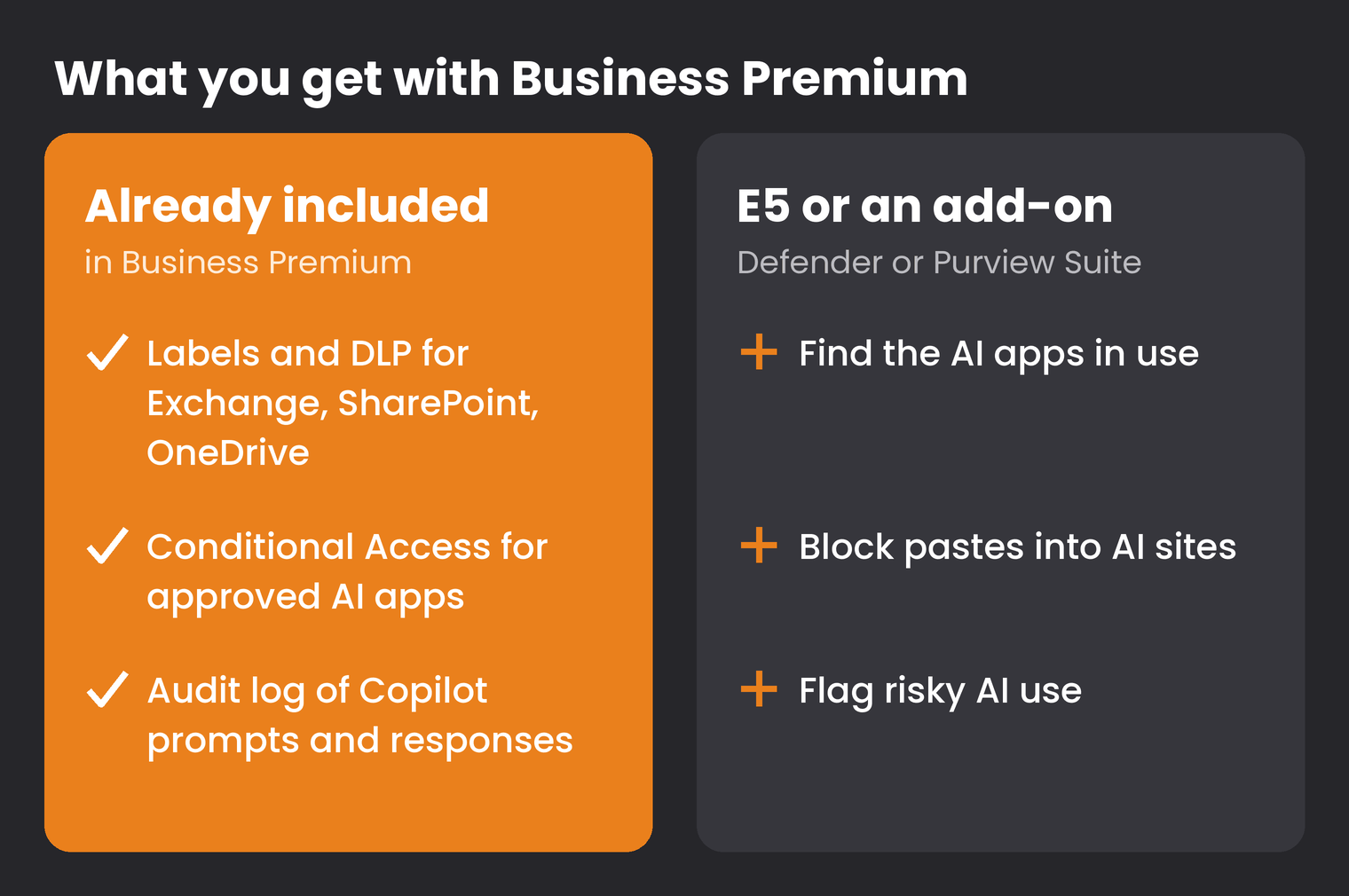
Both Business Premium add-ons cover up to 300 users and sit on top of an existing Business Premium subscription. Microsoft lists the Defender Suite for Business Premium and the Purview Suite for Business Premium at $10 per user per month each, or $15 for the two together, paid yearly. Microsoft changes licensing often, so confirm against your current agreement before you budget.
Two practical notes. First, blocking unsanctioned AI apps depends on devices being onboarded to Defender for Endpoint, so unmanaged laptops are a gap. Second, none of this does anything until someone configures it. We regularly find Microsoft 365 tenants where the license for every row in that table is paid for and nothing is switched on. Your Microsoft Secure Score is a quick way to see how much of what you own is actually active.
For a closer look at the Purview side of this, Microsoft’s overview of Purview protections for generative AI apps covers each capability and which AI apps it supports.
How to choose
Four questions settle most of this.
1. Do you build AI or use it?
If you use it, start with usage governance and skip the model governance shortlists for now.
2. What do you already own?
Pull your Microsoft licensing before you take a single vendor demo. The gap between your current plan and the add-on that closes it is often smaller, and cheaper, than a new platform.
3. Who will run it?
Every tool on this page produces alerts and reports. If nobody reviews them, you’ve bought a dashboard, not governance. Budget for the hours, internal or managed.
4. What do you need to prove, and to whom?
Cyber insurers increasingly ask about AI use. In Texas, the Texas Responsible Artificial Intelligence Governance Act gives organizations that substantially comply with the NIST AI Risk Management Framework a defense against enforcement. Proving that takes records of what you govern and what your controls found, which is exactly what the “keep a record” and “review” rows produce.
Where tools stop
Tools enforce rules. They don’t write them. Before you configure anything, you need a short written policy that names approved tools, prohibited data and an owner. Our AI security policy template is a starting point, and the AI governance checklist covers the steps to finish before you deploy anything new.
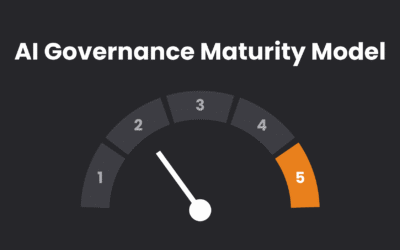
The order matters. A company that buys tools before it has a policy ends up configuring controls around guesses. If you’re not sure where you are, the AI governance maturity model places you in one of five levels. Most mid-size businesses land at level 2 or 3, where the next step is enforcement, and that’s where these tools earn their keep.
If Copilot is the AI tool you’re most worried about, start with whether Copilot is safe for your confidential information. The answer depends far more on your permissions than on any governance product.
For most of our clients, this starts with an AI Readiness Assessment: what AI is already in use, what your Microsoft licensing covers, and what to fix first. From there, GCS handles remediation, a controlled rollout and ongoing AI governance as part of managed IT.
Schedule an AI Readiness AssessmentFAQ: AI governance tools
What are AI governance tools?
AI governance tools help an organization see, control and document how AI is used. They fall into two groups: model governance platforms for companies that build or deploy their own AI systems, and usage governance tools that control how employees use AI apps like Copilot and ChatGPT.
What is the best AI governance tool?
It depends on whether you build AI or use it. Companies building their own models usually evaluate platforms like Credo AI, OneTrust AI Governance or IBM watsonx.governance. Companies that mainly use AI are better served by usage controls, and if they run Microsoft 365, much of that comes from Defender for Cloud Apps, Microsoft Purview and Microsoft Entra.
Does Microsoft 365 include AI governance tools?
Yes, though coverage depends on your plan. Business Premium includes sensitivity labels, DLP for Exchange, SharePoint and OneDrive, and Conditional Access. Discovering and blocking shadow AI apps, blocking pastes into third-party AI sites, and risky AI usage detection need Microsoft 365 E5 or the Defender and Purview Suite add-ons for Business Premium.
Do small businesses need an AI governance platform?
Most don’t need a dedicated model governance platform. They need a written AI policy, visibility into which AI apps are in use, controls on sensitive data, and someone who reviews the results. For Microsoft 365 businesses, that’s usually a configuration and licensing project rather than a new software purchase.
How do you detect shadow AI?
With Microsoft tools, Defender for Cloud Apps groups generative AI apps in its cloud app catalog so you can see which ones employees use and mark unapproved ones as unsanctioned. Purview’s Data Security Posture Management adds visibility into AI activity and sensitive data in prompts. Asking teams directly is still a useful first step, since no tool sees personal devices.